In a previous post, I gave an introduction to dual-write, one part of the Power Platform integration with F&O. Dual-write provides an OOB infrastructure for setting up integration between Dynamics 365 Finance and Operations (F&O) and Dataverse, Dynamics 365 CE apps. In this post, I will let you in on general findings related to this subject and environments in particular.
Continue reading “F&O 💙 Power Platform – Where’s my Dataverse DEV?”Category: Dynamics 365
Demystifying dual-write
Lately I have been working with dual-write in different projects. In this post I will give an introduction to the subject from a technical perspective as well as functional and hopefully bring some clarity to what’s behind that magical door. Note that some parts of this post will be outdated when One Dynamics One Platform and unification of admin centers become reality. I will then update with a link to a new post.
Continue reading “Demystifying dual-write”2021 Release Wave 1 – First impressions
The Release Wave 1 Release Plans are out! You find them here: Microsoft Power Platform 2021 release wave 1 plan and Dynamics 365 2021 release wave 1 plan. Don’t forget that some new features are made available as early access and there is an early opt-in option. Then features will roll out from April to September. Also remember to keep an eye on the change log chapters in the Release Plans. Features presented might me moved to a later wave or dates might change, new features might be added. As always, new features are either available by default or you will need to turn it on. I have created a new page here with general information about Release Waves if you want to read more about how it all works.
Continue reading “2021 Release Wave 1 – First impressions”What is Dataverse for Teams, when to use it and when not to?
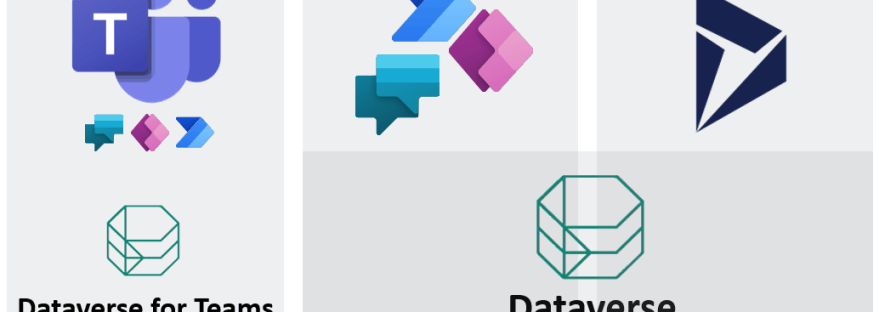
A few weeks has passed since Microsoft Ignite and me and Amanda last spoke about our two worlds colliding. To refresh your mind; Amanda is working with productivity, collaboration and Microsoft 365 and you can find her blog here. Our previous common article had the title “The best from both worlds – Office Apps & Services and BizApps combined”. Our different worlds are colliding for sure and today we will look at examples of how the boundaries have been blurred.
Continue reading “What is Dataverse for Teams, when to use it and when not to?”2020 Release Wave 2 – Learn to surf like a Pro and let’s look at Power Apps highlights!
Today the Release Plans for 2020 Release Wave 2 were released, one for Power Platform and one for Dynamics 365 and the accelerators. It is time to prepare for a new wave, features will be rolled out starting from October 2020 and continue to be rolled out until March 2021. If you have not already learned how to surf like a Pro, I will let you know how to do that. What I mean with a Pro here is that a Pro knows how the waves works and knows how to be prepared when a wave is coming. If you already know everything about the Release Wave process, then you still might find the section about Power Apps highlights interesting to read.
Continue reading “2020 Release Wave 2 – Learn to surf like a Pro and let’s look at Power Apps highlights!”ValueRule in Classic UI vs. Unified Interface
Now I will let you in on a finding I did the other day. It is all about a very tiny detail but still, it might be good to be aware of this fact. As usual when you find something suspect in Dynamics 365 CE you cannot really be sure if the behaviour is classified as a bug or by design. I registered a Microsoft case this time just to find out.
Continue reading “ValueRule in Classic UI vs. Unified Interface”Cascade from parent to child the flow way
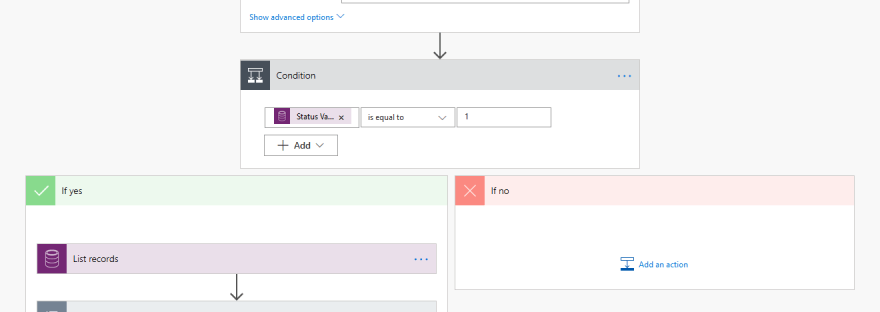
When working with Dynamics 365 CE and designing solutions, it happens from time to time that you want to cascade information from parent records to child records. One example could be to have the address of the contact updated when the address of the parent account is changed.
Continue reading “Cascade from parent to child the flow way”When customizing the App for Outlook – be aware of this
I ran into something the other day and by writing about this perhaps it saves time for someone who might run into the same thing. I recently learned that now we are able to customize the App for Outlook. There are some default values in the app that must be there in order for the app to function properly though. In this blog post I will highlight those default values and let you know what to do if the tracking panel suddenly goes missing.
Continue reading “When customizing the App for Outlook – be aware of this”